Lumina FSM — Field Service Management SaaS (Laravel + Offline App)
Pay securely with USDT on Ethereum, BNB Chain, or Tron
Key Features
- Full SaaS layer
- Several businesses per account
- Outgoing webhooks
- Marketing page
- Announcements. Message every company on your platform, everyone on one plan, everyone whose payment is overdue
- Message your own team
- Push to real phones
- Jobs. Full lifecycle with an enforced status machine, line items, photos, notes
- Customers and sites
- Contracts. Repeat work such as quarterly services and annual inspections. Books the next visit and nothing further ahead
- Invoicing. Generated from the job's line items, emailed with a PDF, with part payments, a running balance and void handling
- Parts and stock
- Route suggestions
- Email templates
- Reports. Throughput, average job time, punctuality per technician, revenue by service and pipeline mix
- Team and roles
Customization Available
Need this product tailored to your brand or requirements? We offer custom modifications — reach out and let us know what you need.
Lumina | Field Service Management, now with SaaS, a REST API and a native app
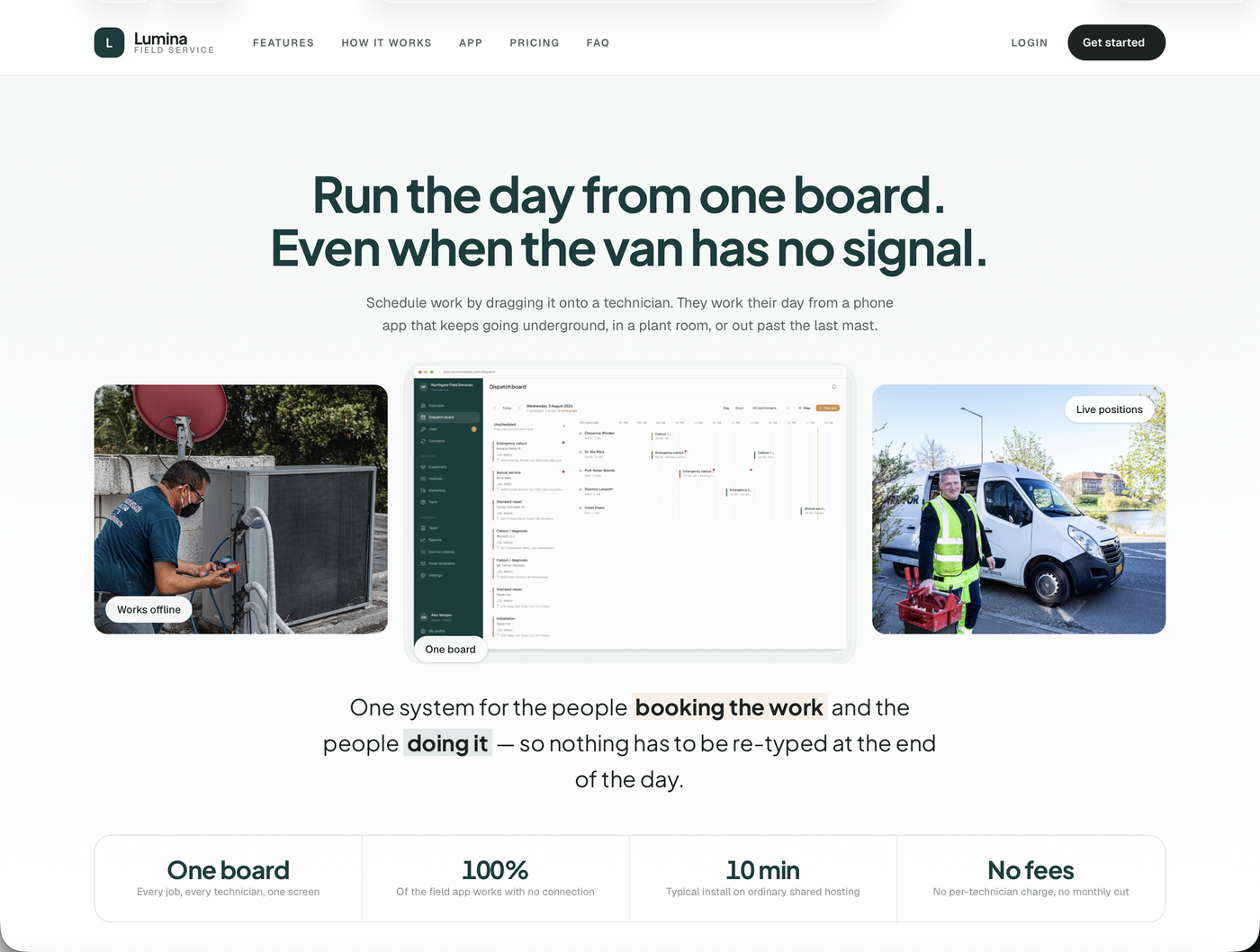
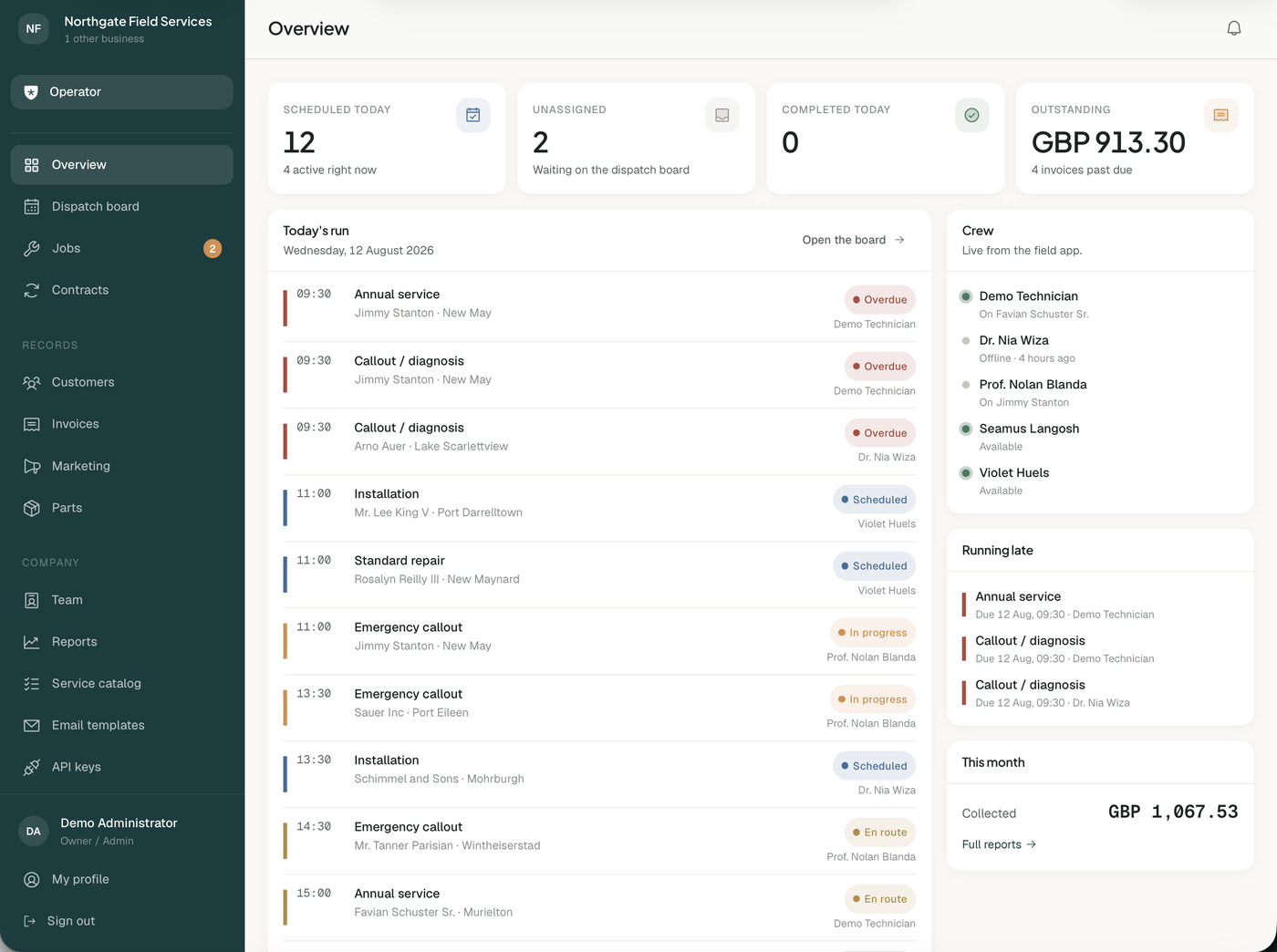
Lumina is a field service platform for plumbing, HVAC, electrical and appliance repair companies. The office schedules work on a drag-and-drop dispatch board. Technicians work their day from a phone that keeps working with no signal at all. Invoices build themselves from what the technician recorded on site.
Version 2 turns it into a product you can sell. Run it for your own company, or run it as a subscription business: plans, Stripe checkout, trials, an operator console, a marketing page and a full REST API with webhooks. Everything below is in this one item.
Two ways to run it
- One company. Set it up, add your team, done. No plans, no billing, no sign-up page — the SaaS layer is simply not there. This is what version 1 was, and it still works exactly this way.
- As a SaaS. Flip one setting and you get public sign-up, plans you price yourself, Stripe checkout, free trials, dunning, an operator console over every tenant, and a marketing page with your own name and colors on it.
The same code does both. Nothing is bolted on, and switching modes is one line in your .env.
New in version 2
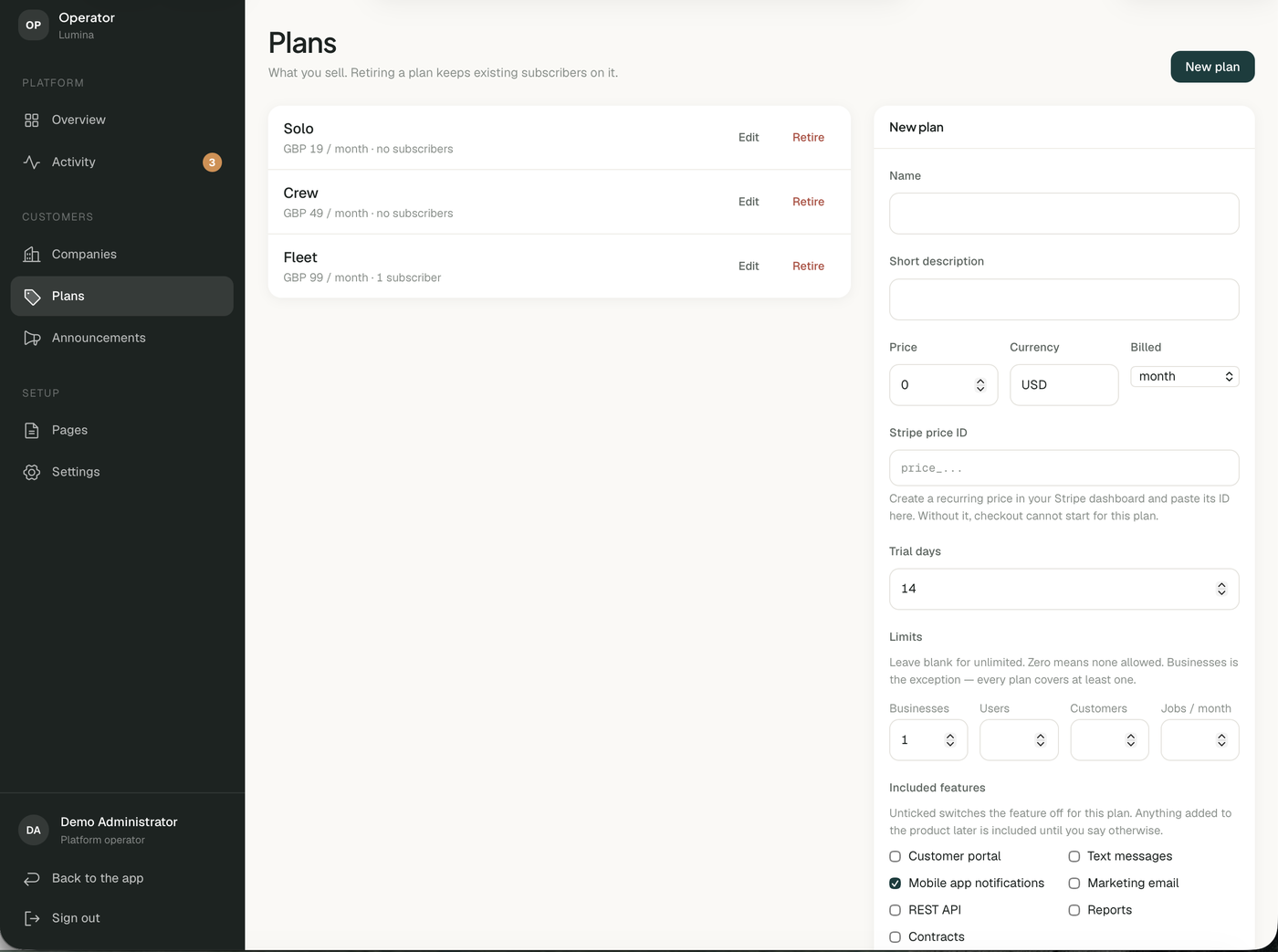
- Full SaaS layer. Plans with prices, trial lengths, limits and per-plan feature switches. Stripe checkout and the customer billing portal. Trials, grace periods and a dunning window before anything is cut off.
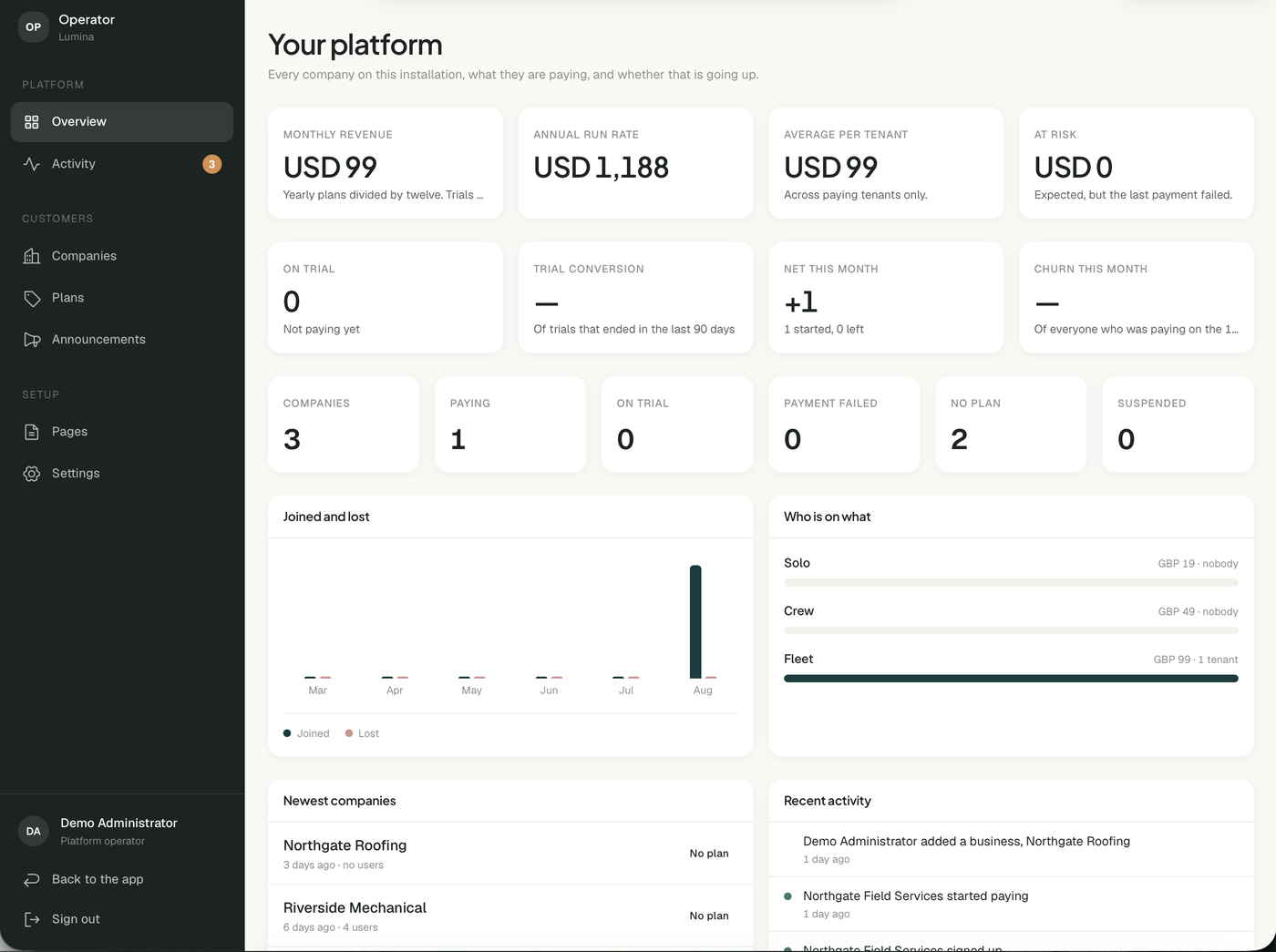
- Operator console. A separate panel over every company on your installation: revenue, trial conversion, churn, an activity feed of sign-ups and failed payments, and the ability to suspend a tenant or sign in as one to help them.
- Several businesses per account. A plan can allow more than one. A contractor running three trading names pays you once and switches between them from the sidebar — each with its own customers, jobs, invoices and team, and no way to see the others.
- REST API v1. Twenty-seven endpoints over jobs, customers, invoices, contracts, parts, technicians and reporting. Scoped keys, one company per key, and public documentation your integrators can read before they buy.
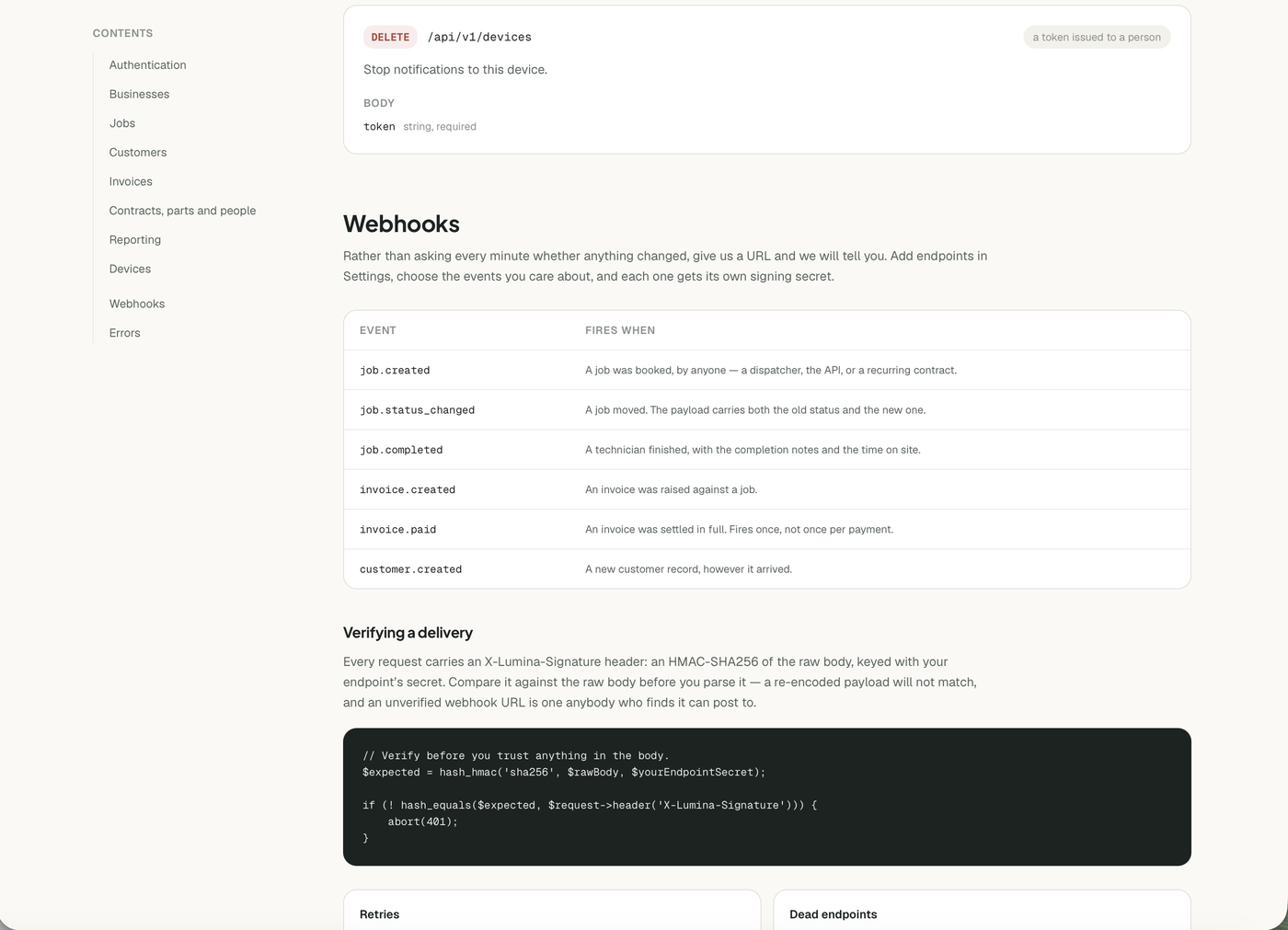
- Outgoing webhooks. Six events, HMAC-signed, with retries, automatic disabling of dead endpoints and a delivery log.
- Marketing page. A complete landing page with your plans on it, an FAQ, and legal pages you write from the admin. Switch it off if you do not want one.
- Announcements. Message every company on your platform, everyone on one plan, everyone whose payment is overdue, or one customer. Shows as a banner and in their notifications.
- Message your own team. A company administrator can send a note straight to their technicians' phones.
- Push to real phones. Firebase Cloud Messaging for the iOS and Android app, alongside the existing browser push.
- White label. Name, logo, colors, support email and the currency you bill in — all set from the operator panel, applied to the marketing page, the sign-in screen and the emails.
The dispatch board
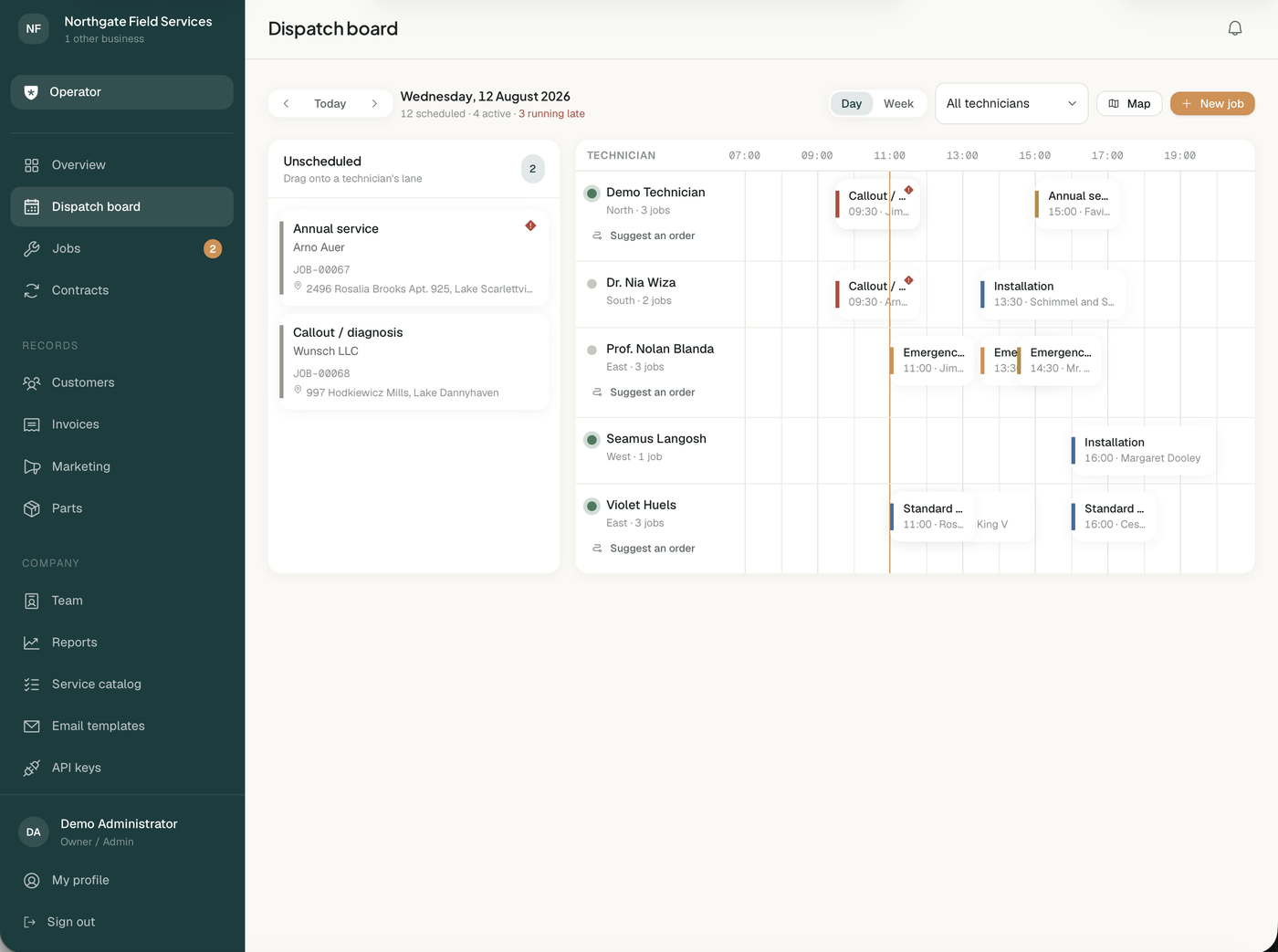
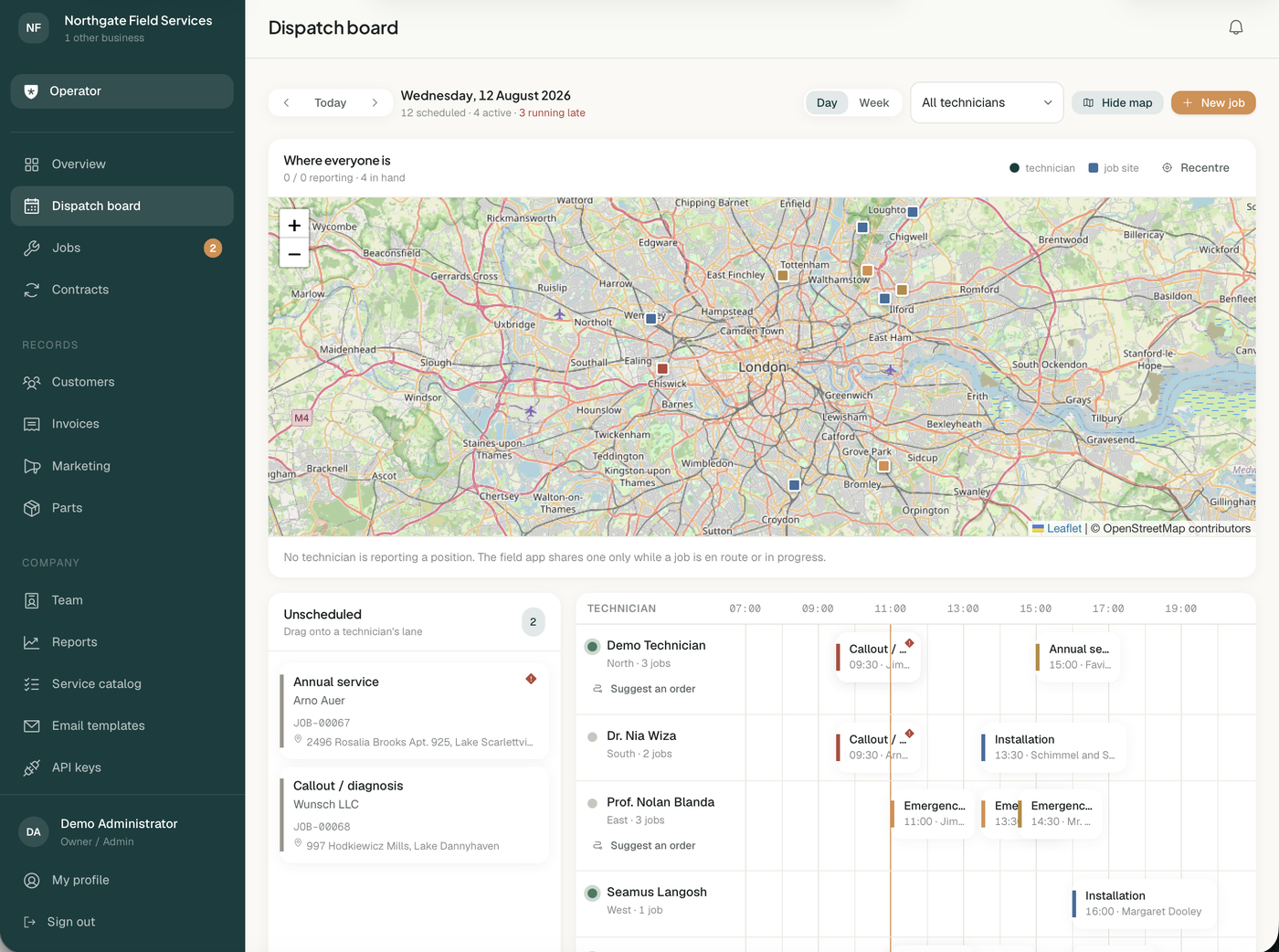
One lane per technician, a proportional day timeline and a week grid. Drag a job from the unscheduled queue onto a lane to schedule it. A map shows where every technician and today's jobs actually are.
Built for a technician with no signal
This is the part most field service scripts get wrong. A basement, a plant room, a rural site: the connection goes and the app becomes useless.
Lumina writes every action to the device first, then syncs. Status changes, hours, parts fitted, photos and the customer's signature are all captured offline and replayed when the signal comes back. Replay is idempotent, so a flaky connection cannot duplicate a job's hours. The whole day works from an aeroplane.

A REST API your customers can build on
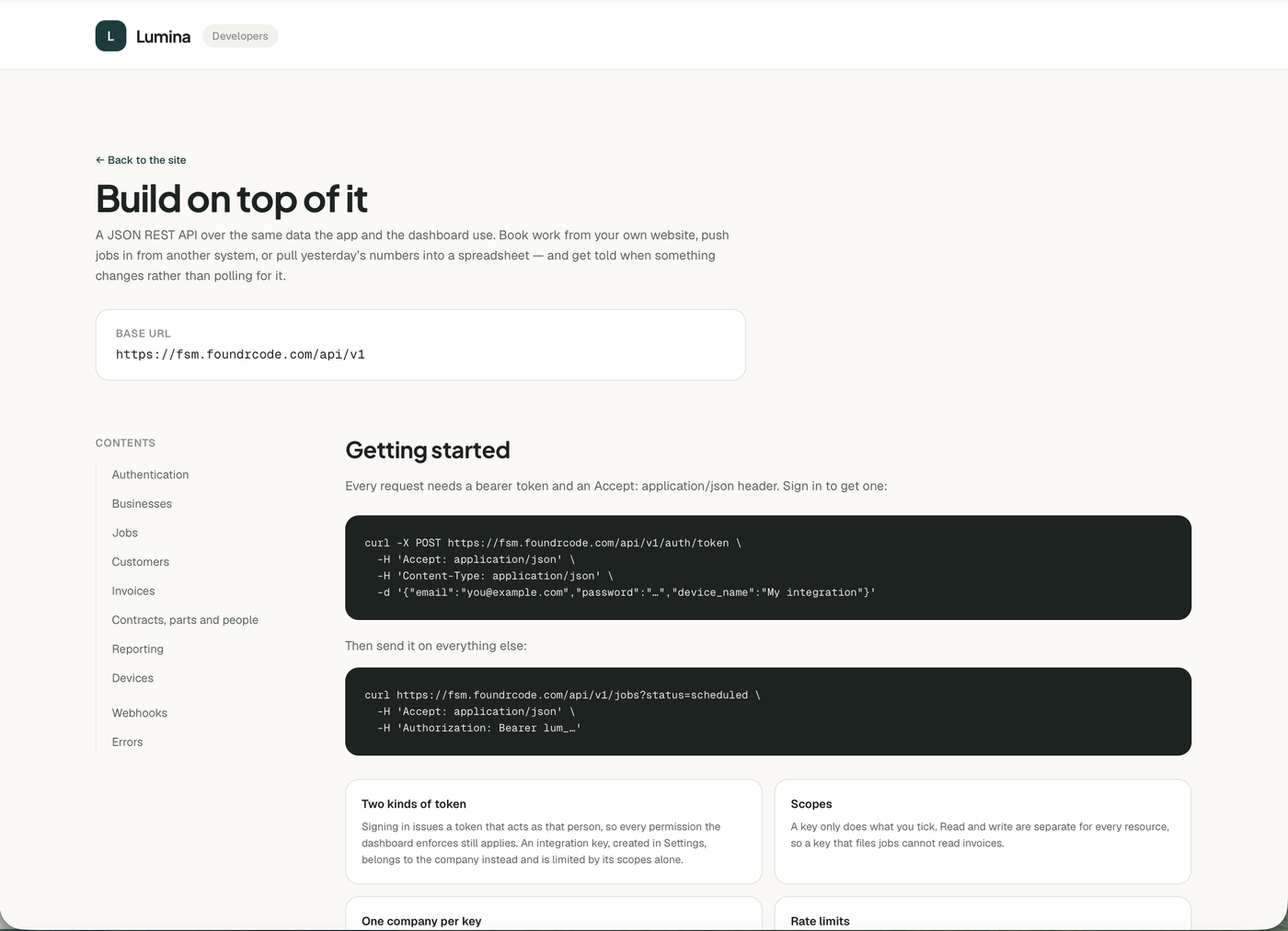
Book work from your own website, push jobs in from another system, or pull yesterday's numbers into a spreadsheet. Keys are scoped — read and write are separate for every resource — and a key reaches exactly one company, so no request can be made to cross into another.
The reference is a page on your own site, public so a developer can read it before signing up. Live example: https://fsm.foundrcode.com/developers
Everything else
- Jobs. Full lifecycle with an enforced status machine, line items, photos, notes, a customer signature and an append-only audit trail of every change and where it came from.
- Customers and sites. Multiple service addresses per customer, access notes, per-site contacts and full job history.
- Contracts. Repeat work such as quarterly services and annual inspections. Books the next visit and nothing further ahead, so a change of plan only ever means moving one job.
- Customer portal. A private link with no account and no password. Customers follow their visit live, download invoices, and can ask the office for a different time. Requests never change the board on their own.
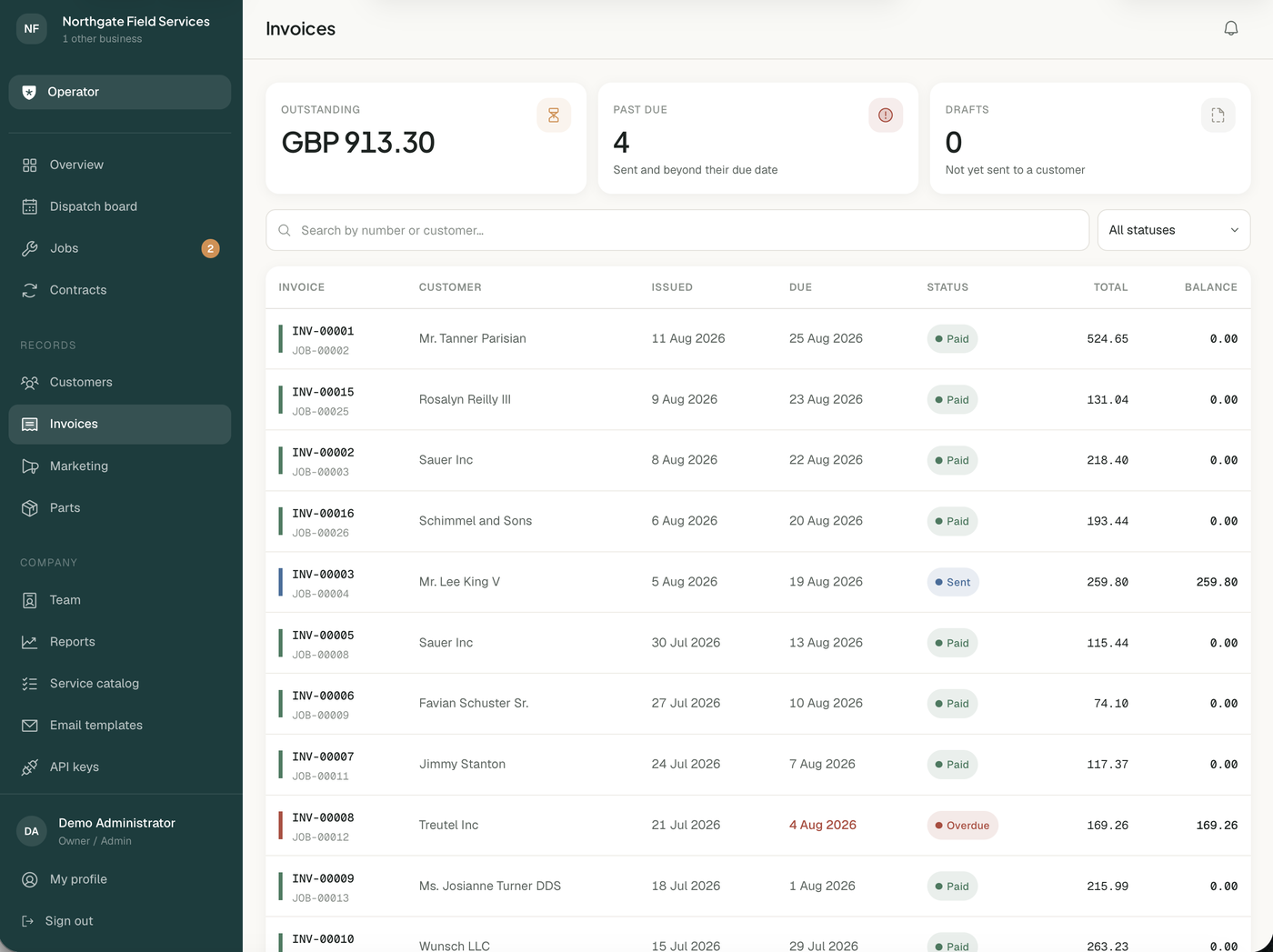
- Invoicing. Generated from the job's line items, emailed with a PDF, with part payments, a running balance and void handling.
- Parts and stock. Optional inventory with stock movements, reorder levels and automatic depletion when a technician fits a part.
- Route suggestions. Proposes a better order for a technician's day that a dispatcher accepts or dismisses. Nothing moves by itself.
- Email templates. Rewrite any email the product sends, with a live preview and a test send.
- Reports. Throughput, average job time, punctuality per technician, revenue by service and pipeline mix.
- Team and roles. Administrators see everything. Dispatchers schedule work but never see billing. Technicians see only the jobs assigned to them.

The mobile app is a separate item
Lumina has always had an installable technician portal in the browser, and that is included here — it works offline and installs to a home screen without an app store.
The native iOS and Android app, built in Flutter, is sold separately as a companion item. It adds real push notifications, camera and signature capture through the native APIs, and an office side with the dispatch board and invoices on a phone. It talks to this backend over the REST API above.
You do not need it. Buy it if you want your technicians on the App Store and Google Play rather than a web app.
Multi-tenant, and safely so
Tenant isolation is enforced at the model layer by a global scope that fails closed: with no tenant context, a query returns nothing rather than everything. That is the opposite of the usual approach, where a forgotten where clause leaks another company's data. There is a dedicated test suite for exactly this, and the product ships with over 600 automated tests.
Every string is translatable
All interface copy lives in language files. Translate the product by copying one folder and editing it. Nothing is hardcoded in the views, including validation messages, email subjects and PDF labels.
Requirements
- PHP 8.4 or newer, with the usual Laravel extensions
- MySQL 8 or MariaDB 10.6, or PostgreSQL
- Composer and Node.js, to install dependencies and build the assets once
- Ordinary shared hosting is enough. A cron entry drives the scheduled work.
Third-party services and costs
Every integration below is optional and the product runs fully without all of them. Where you use one, you sign up in your own name and that provider bills you directly. None of these fees are included in the item price, and this item is not affiliated with any of them.
- Stripe. Only needed if you charge subscriptions. The alternative is marking tenants paid by hand, which needs no account at all.
- Firebase. Only needed for push to the native app. Free tier is enough. Browser push needs no service at all — your install generates its own keypair.
- Maps. OpenStreetMap by default. No API key, no account, no billing. Point it at any XYZ tile provider if you prefer.
- Email. Ordinary SMTP, or any HTTP mail API that accepts a JSON send body, such as Resend, Mailgun, SendGrid, Postmark or Brevo. No provider is hardcoded and there is no default endpoint.
- SMS. Optional, through your own Twilio account. Off by default; with no credentials configured, messages are written to the log so you can see the feature working before opening an account.
- Route optimization. Optional OSRM endpoint. Without one, the suggestion falls back to straight-line distance and still orders the day sensibly.
Which license do I need?
- Regular License. You run Lumina for your own company, or for a single client, and nobody is charged to use it.
- Extended License. You run it as a SaaS and charge your customers to use it. If you are here for the subscription features, this is the one.
Documentation
A single self-contained manual ships in the package, with a sidebar you can jump around, a quick start written for a non-technical buyer, an expected outcome on every setup step, labeled code blocks, screenshots of every screen, and sections on SaaS mode, Stripe, the API, webhooks, Firebase push and white labeling.
Live demo
Demo: https://fsm.foundrcode.com
- Administrator: [email protected] / LuminaDemo!
- Dispatcher: [email protected] / LuminaDemo!
- Technician: [email protected] / LuminaDemo!
The administrator account is also the platform operator, so signing in as it shows both sides: the company's own dashboard, and the operator console over every tenant. The demo data is refreshed nightly, so the board always shows a working day rather than an abandoned one.
Sign in as the technician on a phone, or in a narrow browser window. It is a separate installable interface, not a shrunken version of the admin. Switch your browser to offline and keep working: that is the feature.
Note on live updates: the dispatch board can update itself over WebSockets, which needs a long-running process. On shared hosting that is not available and the board is refresh-based instead. Every other feature works on shared hosting, and the demo above runs on exactly that.
Upgrading from version 1
Free, as always. Replace the files, run the migrations, and everything carries over. Version 1 behavior is the default — the SaaS layer stays off until you switch it on, so nothing changes underneath an existing installation.
Changelog
2.0.0
Everything below is optional and off until you switch it on. A version 1 installation upgrading to this release behaves exactly as it did before.
Added — SaaS
- Plans with price, interval, trial length, limits and per-plan feature switches. Every limit and switch is enforced, not decorative.
- Stripe checkout, the customer billing portal and signed webhooks. Manual billing remains the default and needs no account.
- Trials, grace periods and a 14-day dunning window before access stops.
- Public sign-up, with the advertised free trial started on the spot.
Added — operator console
- Revenue, trial conversion, churn and platform totals across every tenant.
- An activity feed: sign-ups, subscriptions, failed payments, cancellations, with an unread count.
- Suspend or restore a tenant, assign a plan by hand, or sign in as one to help them.
- Announcements to every company, one plan, one billing state, or a single customer — as a banner and in their notifications, optionally by email.
- Platform settings: name, logo, colors, support email, billing currency, and the defaults a new company starts with.
- Legal pages written from the admin.
Added — several businesses per account
- A plan decides how many. Each keeps its own customers, jobs, invoices and team, and none can see another.
- One subscription covers them all; suspending the account suspends all of them.
- A switcher in the sidebar, and in the mobile app.
Added — REST API and webhooks
- 27 endpoints across jobs, customers, invoices, contracts, parts, technicians, reporting and devices.
- Scoped keys. One company per key, always.
- A public API reference page at /developers.
- Outgoing webhooks: 6 events, HMAC-signed, with retries and automatic disabling of dead endpoints.
Added — marketing and notifications
- A complete landing page with your plans, an FAQ, your branding and a download section for the companion app. Off by default.
- Firebase Cloud Messaging, for push to the iOS and Android app.
- A company administrator can message their own team's phones.
Added — smaller things
- Branded error pages for 401, 403, 404, 419, 429, 500 and 503.
- Currency and timezone are dropdowns rather than free-text fields.
- fsm:demo-refresh, which keeps a public demo looking like a working business. Refuses to run unless demo mode is on.
Fixed
- The tenant scope ignored an explicit unscoped query when a tenant was already bound.
- Plan limits and feature switches were configurable but never applied.
- Advertised free trials were never actually started under the default billing driver.
- Expired email-verification tokens were never pruned.
- The dispatch map did not appear when the board was reached through in-app navigation, and only showed after a page reload.
- Added POST /api/v1/jobs/<id>/signature, so a job can be closed out with the customer's signature over the API — the browser portal could already do this through its sync queue, and the mobile app had no way to.
1.0.0
First release. Dispatch board, jobs, customers and sites, contracts, the offline technician portal, the customer portal, invoicing, parts and stock, route suggestions, email templates, marketing emails, reports, and roles.
Support
Six months of support is included and can be extended. Questions through the item comments or the support tab get a reply within one business day.